Best DPI for a Wireless Mouse: 800–2400 Explained

What is a good DPI for a wireless mouse?
A good DPI for a wireless mouse depends on what you do most often and the size/resolution of your screen. For everyday browsing, email, and office work, 800–1600 DPI is a comfortable range that feels controlled without needing huge hand movements. If you use a large monitor (especially 1440p or 4K) or you like faster pointer travel, 1600–2400 DPI often feels smoother because the cursor covers more distance with less effort.
For creative work like photo editing or detailed design, many people prefer 800–1200 DPI because it makes tiny, precise adjustments easier. For gaming, preferences vary widely by genre and sensitivity settings, but many players still start around 800–1600 DPI and fine-tune in-game sensitivity for consistency.
How to pick the right DPI quickly
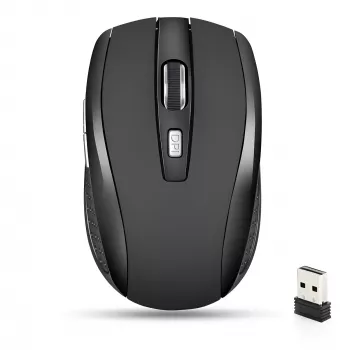
Start at 1200 or 1600 DPI, then adjust based on two simple tests: (1) Can the pointer cross the screen comfortably without lifting the mouse too often? If not, raise DPI. (2) Can you click small targets accurately (like text cursors or small UI buttons)? If you overshoot, lower DPI. Many wireless mice with adjustable DPI let you switch levels instantly, which is useful when moving between spreadsheets and more precise tasks.
Does wireless affect DPI performance?
DPI itself isn’t reduced by going wireless; it’s a sensor setting. What matters more for “feel” is sensor quality, surface, and how stable the connection is. A reliable wireless mouse with a good sensor can track just as well as a wired one for everyday use, and many models add quiet clicking plus adjustable DPI for shared spaces and late-night work.
For more details on choosing and adjusting DPI on a quiet, adjustable wireless mouse for MacBook-style setups, visit this complete guide.
FAQ
How do I change DPI on a wireless mouse?
Many models have a dedicated DPI button that cycles through preset levels. Some also support software where you can assign exact DPI values and save them as profiles.













Leave a comment