Indoor HDTV Antenna w/ Booster & 16.4 ft Cable (4K)
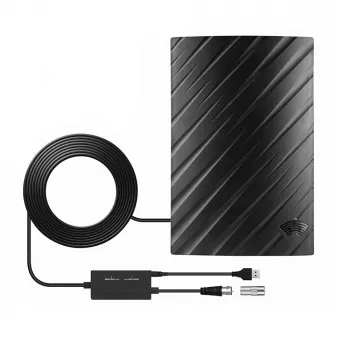
500 Miles Digital HDTV Antenna with Signal Booster and 16.4 ft Cable: Free Local TV, Flexible Indoor Setup
A compact indoor HDTV antenna is a practical way to watch local over-the-air channels without a monthly TV bill. The 500 Miles Digital HDTV Antenna with Signal Booster and 16.4 ft Cable is designed to help pull in nearby broadcast signals and deliver a clear picture up to 4K/1080P where the station broadcast and your TV tuner support it. With a longer coax cable and an included booster, it’s built for rooms where the “best spot” for reception isn’t right next to the television.
What This Antenna Is Built For
Indoor antennas are all about picking up local broadcast towers and turning that signal into live TV on your screen. This model focuses on everyday cord-cutting needs—getting the antenna into a better position, then locking in channels with a channel scan.
- Receives free over-the-air broadcasts (ABC, CBS, NBC, FOX, PBS, CW, Univision, and other local channels—availability varies by location).
- Designed for modern TVs with a coax (ANT/CABLE) input; also works with many converter boxes and tuners.
- Signal booster intended to help in weak-signal situations, longer cable runs, or when splitting to multiple devices (results vary by environment).
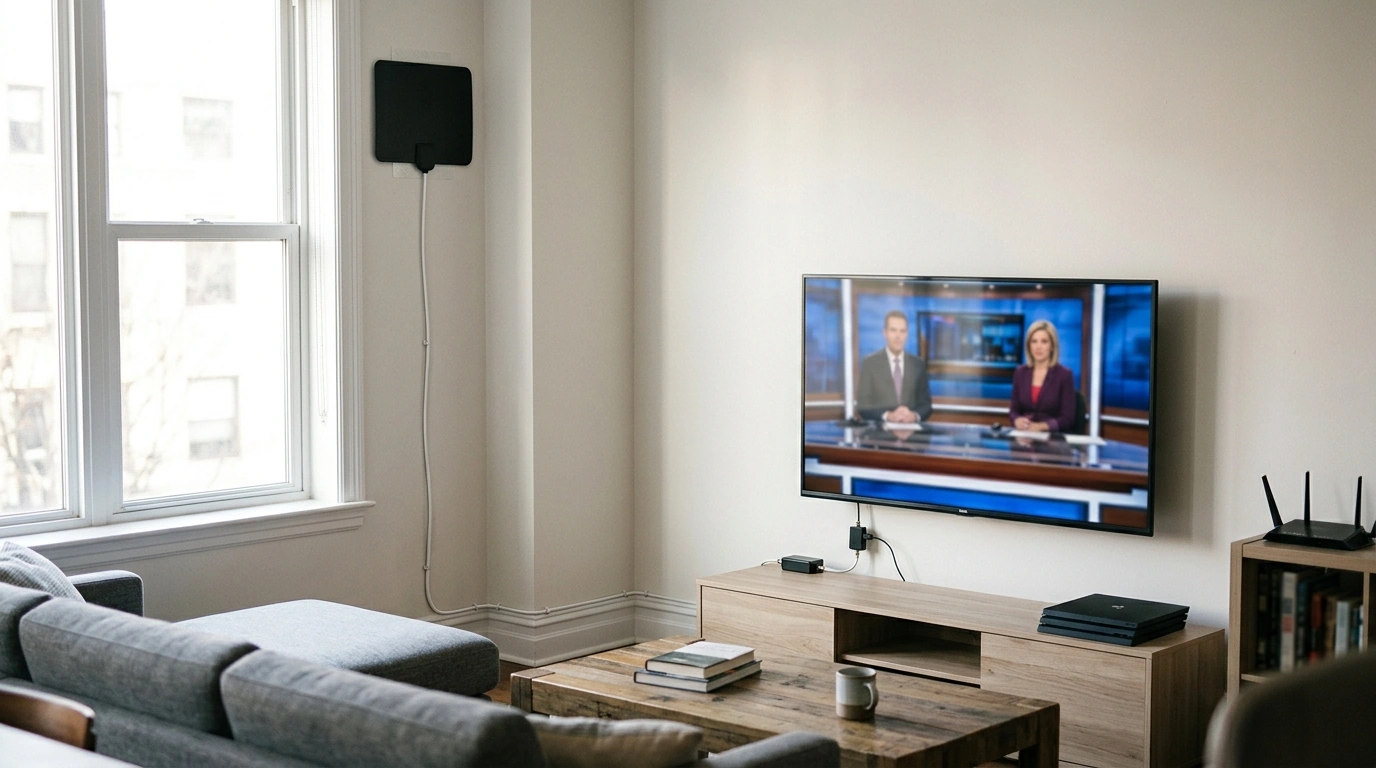
- 16.4 ft cable supports flexible placement—near a window, higher on a wall, or away from electronics that can add interference.
Quick Specs at a Glance
Indoor range claims can be optimistic. Real-world reception depends on your distance to towers, line-of-sight, terrain, building materials, and indoor noise. Most households see the biggest improvement from careful placement and rescanning after each move.
| Item | What to know |
|---|---|
| Video support | 4K / 1080P dependent on local broadcast format and TV tuner support |
| Cable length | 16.4 ft coax cable for flexible placement |
| Amplification | Includes signal booster (useful in weaker signal areas; may be unnecessary near towers) |
| Use case | Indoor over-the-air TV reception |
| Typical setup | Connect to TV ANT/CABLE input, place antenna, scan for channels |
Placement Tips That Usually Improve Reception
Placement is the difference between “a few channels” and “a reliable lineup.” The good news: small adjustments can have a big impact, especially indoors where walls, wiring, and electronics all compete with the signal.
- Start near a window or exterior wall; higher placement often helps (top shelf, high wall location, or near an upstairs window).
- Keep distance from Wi‑Fi routers, streaming boxes, game consoles, and PCs—these can add interference and cause pixelation.
- If channels break up, rotate or move the antenna a few feet and rescan. A move of 2–6 feet can change which reflections reach the antenna.
- In strong-signal areas, test reception with and without the booster (if your model allows). Amplification can occasionally overload signals when towers are very close.
To estimate what’s realistic in your area before you start moving furniture, check tower locations using the FCC DTV Reception Maps or AntennaWeb. Knowing which direction your towers sit can guide you toward the best room and wall.
Setup Steps (Typical TV)
Setup is usually quick, but the menu choice matters. If the TV is set to “Cable,” it may not detect any over-the-air stations.
- Connect the coax cable from the antenna to the TV’s ANT/CABLE input.
- Power the signal booster if required by the included design (often via USB or a small power adapter, depending on the model).
- On the TV menu, choose Antenna / Air / OTA (not Cable), then run a full channel scan.
- After repositioning the antenna, run the scan again to refresh the channel list.
- If using a splitter or feeding multiple TVs, expect some signal loss; test with and without the booster to see which is more stable.
What Affects Channel Count and Picture Quality
It’s common to see different results in different rooms of the same home. That’s because broadcast TV behaves more like a “signal environment” than a fixed utility.
- Distance and direction to towers: Farther towers or signals blocked by buildings tend to be less reliable, especially indoors.
- Terrain and structures: Hills, dense neighborhoods, concrete, and foil-backed insulation can reduce reception.
- Indoor noise: LED lighting, chargers, and computers can contribute to intermittent pixelation or dropped channels.
- Broadcast standards: 4K depends on what local stations transmit and what your TV tuner supports; many broadcasts are still 720p/1080i in many markets.
When This Antenna Makes the Most Sense
In-Stock Picks to Pair With Your Setup
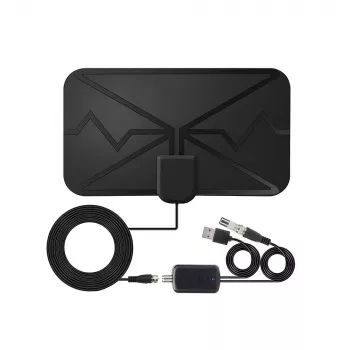
- 500 Miles Digital HDTV Antenna – 4K 1080P Signal Booster with 16.4FT Cable ($24.01)
- Mini Pocket DAB/DAB+ FM Radio MP3 Player with Speaker & Rechargeable Battery ($42.67)
Related Accessories to Consider
FAQ
Will it work with any TV?
It works with TVs that have an over-the-air tuner and a coax ANT/CABLE input. If you have an older TV without a digital tuner, a digital converter box is typically needed—then set the TV to “Antenna/Air” (or the converter box’s scan option) and run a channel scan.
How many channels will it get?
Channel count depends on your location, distance to broadcast towers, obstacles (buildings/terrain), and indoor interference. Checking tower maps and testing a few placements—then rescanning each time—is the most reliable way to see what your home can receive.
Should the signal booster be used all the time?
The booster can help in weak-signal rooms, with longer cable runs, or when signal is split, but it isn’t always necessary. In strong-signal areas, amplification can sometimes make reception worse, so it’s worth testing both with and without the booster to find the most stable result.













Leave a comment