Matte Screens Explained: Glare, Texture, and Clarity

What does a matte screen do?
A matte screen (or a matte screen protector) changes how light interacts with your display. Instead of reflecting light sharply like glossy glass, a matte surface diffuses reflections so glare looks softer and less distracting. That makes it easier to use a phone, tablet, or laptop under bright indoor lights or near windows.
Matte finishes also reduce the appearance of fingerprints and oily smudges. You’ll still get marks over time, but they tend to look hazier and are less noticeable at a glance than on a shiny screen.
How it affects image quality
The trade-off is that diffusing light can slightly soften the image. Colors may look a bit less “punchy,” and fine text or detailed graphics can appear marginally less crisp compared with a bare glossy screen. For many people, the comfort of reduced glare is worth the small reduction in clarity—especially for reading, note-taking, or long sessions.
How it affects feel and control
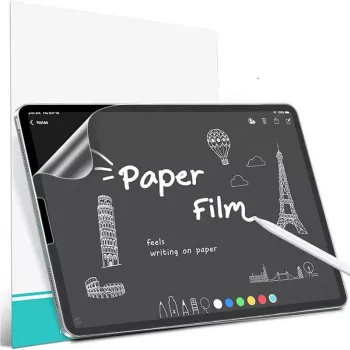
On touch devices, a matte layer often adds a bit of texture. That can improve control for writing or sketching with a stylus, creating more resistance than slick glass. Depending on the specific protector, it can feel closer to paper and help slow down fast strokes.
Does it protect the screen?
Matte screen protectors can add basic scratch resistance and serve as a sacrificial layer for everyday wear. Protection levels vary by material (film vs. tempered glass), thickness, and coating, so it’s smart to match the protector to how you use your device.
For a deeper look at anti-glare benefits, paper-like texture, and what to expect on an iPad, see this guide to matte iPad screen protectors.
For Matte Screens Explained: Glare, Texture, and Clarity, the best answer depends on fit, material, care instructions, and how the product will be used day to day.
FAQ
Does a matte screen protector reduce eye strain?
It can help by cutting harsh reflections and making bright lighting less distracting, which may feel more comfortable during longer sessions. It won’t replace proper brightness settings or breaks, but it can improve viewing comfort.














Leave a comment