Slim Silicone AirPods Case: Grip, Fit & Easy Cleaning

Silicone Case for Apple AirPods 4, AirPods Pro 2, AirPods 3: Slim Protection That Stays Grippy
A good AirPods case should protect against daily bumps, feel secure in the hand, and still let the charging case work as designed. A silicone cover adds shock absorption and grip without adding much bulk—ideal for pockets, bags, commutes, and workouts. Below is what to look for, how to confirm fit across AirPods generations, and how to keep a silicone case looking clean over time.
What a Silicone AirPods Case Does Well
Silicone is a practical “everyday layer” for Apple AirPods charging cases because it’s soft, tacky enough to help with grip, and forgiving when bumped around.
- Adds a soft, grippy layer that helps prevent slips when taking AirPods in and out of pockets or bags
- Cushions light drops and knocks to reduce scuffs and cosmetic damage on the charging case
- Improves day-to-day handling, especially during workouts, commuting, and travel
- Maintains a compact profile compared with bulkier hard shells
Fit Matters: Confirming the Right Model
AirPods and AirPods Pro charging cases aren’t interchangeable—dimensions, hinge placement, and cutout layouts vary by generation. A case cover that’s even slightly “off” can cause lid rubbing, misaligned ports, or blocked indicator lights.
- AirPods and AirPods Pro cases are not interchangeable; dimensions, hinge placement, and speaker/vent layouts differ by generation
- Check the exact model name printed in device settings or the original box to avoid buying the wrong cover
- A correct fit should sit flush with no wobble and should not obstruct lid opening/closing
- If a model uses a lanyard loop or speaker cutouts (varies by generation), ensure the cover matches those placements
Quick Compatibility Checklist
| What to verify | Why it matters | What “good fit” looks like |
|---|---|---|
| AirPods generation (4 / 3 / Pro 2) | Shell size and cutouts differ | Cover snaps on without forcing |
| Charging port alignment | Prevents cable strain and charging issues | Port is centered; cable plugs in easily |
| Lid hinge area | Ensures the lid opens fully | No rubbing or bunching at the hinge |
| Wireless charging support (if used) | Some thicker covers can interfere | Wireless pad charges normally through the cover |
For help confirming the exact AirPods model (especially when multiple generations look similar), Apple’s guide is the most reliable reference: Apple Support — Identify your AirPods.
Everyday Protection: Drops, Scratches, and Pocket Wear
Most real-world damage to an AirPods case isn’t catastrophic—it’s the steady accumulation of micro-scratches and corner dings from pockets, desks, and bag clutter. Silicone is well-suited for that kind of daily friction.
- Silicone helps absorb minor impacts and reduces surface scratches from keys, coins, and rough bag interiors
- A snug cover can reduce micro-scuffs that happen when the case slides around in a pocket
- Look for a cover that doesn’t collect lint excessively and can be wiped clean quickly
- If the cover includes a keychain loop (when available), it can help prevent drops when clipped to a bag
One small practical tip: if the silicone feels a little “too grippy” for tight jeans pockets, it often settles in after a short break-in period. If it stays tacky, a quick wipe-down (see cleaning section below) usually helps.
Charging and Access: Keep the Case Functional
A protective cover should disappear in daily use—charging, pairing, and checking battery status should all stay easy. Before keeping any cover on long-term, check the key access points.
- Confirm the cutout around the Lightning or USB‑C port (model-dependent) is wide enough for common cable heads
- Wireless charging should work through a thin silicone layer; if charging is inconsistent, remove the cover and test again
- The status light should remain visible or have a dedicated window so battery/charge state is easy to check
- Avoid covers that press on buttons or obstruct pairing access (model-dependent)
If you want a refresher on how AirPods charging behaves (wired vs. wireless, indicator lights, and battery basics), Apple’s charging overview is a helpful reference: Apple Support — Charge your AirPods and learn about battery life.
Care and Cleaning for Silicone (So It Stays Looking New)
Silicone is low-maintenance, but it does pick up skin oils and pocket lint over time—especially on lighter colors. A simple routine keeps it looking fresh and feeling less tacky.
Product Option: Silicone Case for Apple AirPods 4, AirPods Pro 2, AirPods 3
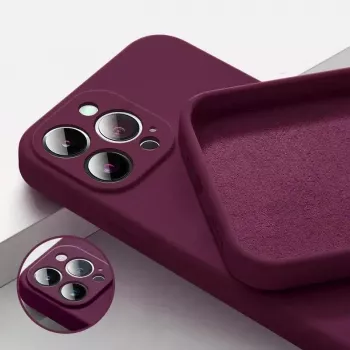
If the goal is simple, slim coverage with better grip, the Silicone Case for Apple AirPods 4, AirPods Pro 2, AirPods 3 is a straightforward option. It’s designed to add a soft-touch feel and everyday scratch protection without turning the charging case into a bulky accessory.
Alternative Style: Leather Texture TPU Case for Apple AirPods 1/2/3/Pro
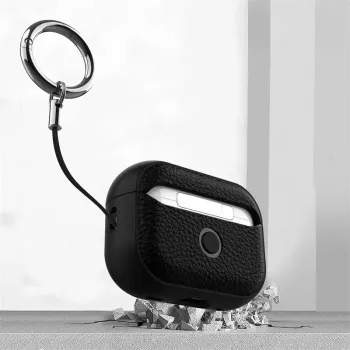
Prefer a firmer feel or a different look than silicone? The Leather Texture TPU Case for Apple AirPods 1/2/3/Pro offers a more structured hand feel with a leather-like surface texture. TPU tends to be less “lint-grabby” than silicone while still offering everyday scuff resistance.
FAQ
Will a silicone cover interfere with wireless charging?
Usually not if the cover is thin and properly fitted. If wireless charging becomes inconsistent, remove the cover to confirm the charger works normally, then re-seat the cover or switch to a slimmer option.
How can the correct AirPods model be confirmed before buying a case?
Check the AirPods model in your device settings or on the original packaging, then match the case listing to the exact generation (AirPods 4, AirPods 3, AirPods Pro 2, etc.). A correct match should fit flush and keep all cutouts aligned.
How should a silicone AirPods case be cleaned without damaging it?
Wipe it with a damp microfiber cloth for weekly maintenance, and use mild soap and water for deeper cleaning. Avoid solvents, rinse thoroughly, and let it dry completely before putting it back on; tape or a lint roller can remove stubborn lint.














Leave a comment