120W Dual-Port USB-C PD Charger for iPhone, iPad, Mac
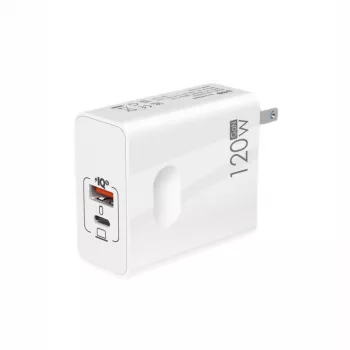
120W Dual-Port Fast Charger with USB‑C PD for Apple Devices
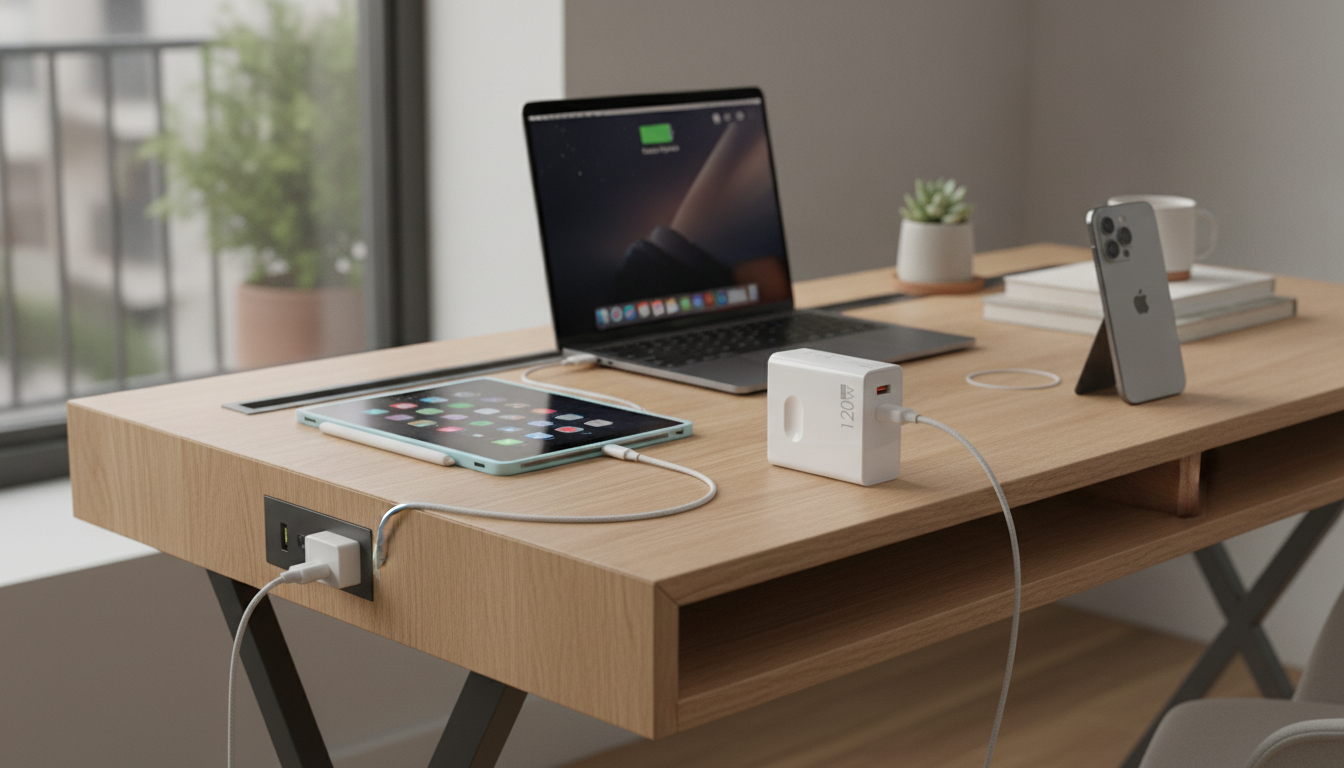
A dual-port charger can simplify daily charging by powering an iPhone and a second device at the same time. This 120W fast charger pairs USB‑C Power Delivery with an additional port for flexible setups at a desk, bedside, or in a travel kit. If you’re tired of juggling multiple adapters (or fighting for the only open outlet), a single compact brick with two ports can make everyday charging feel a lot more organized.
What This Dual-Port Charger Is Designed For
The main advantage of a dual-port wall charger is practical: fewer adapters, fewer outlet blocks, and a cleaner place to plug in.
- Charges compatible Apple devices using USB‑C Power Delivery for efficient power delivery and fast top-ups.
- Dual-port layout supports charging two devices from one wall outlet to reduce clutter.
- Works well as a compact “single outlet” solution for iPhone + iPad, iPhone + AirPods, or iPhone + power bank.
- Useful for shared spaces (office, kitchen counter) where multiple cables are used throughout the day.
For a streamlined two-device setup, consider the 120W Dual-Port Fast Charger with USB-C PD for Apple Devices as the central “hub” for daily charging.
USB‑C PD Basics for Apple Charging
USB‑C Power Delivery (PD) is a modern charging standard that allows your device and charger to “talk” and agree on the best power level for the moment. Instead of pushing a fixed output, PD negotiates voltage and current for safer, faster charging when your device supports it.
- USB‑C PD can deliver faster charging than older fixed-output chargers because it negotiates the right voltage/current for your device.
- Most recent iPhones support fast charging when paired with a USB‑C PD charger and a USB‑C to Lightning cable (or USB‑C to USB‑C for newer USB‑C iPhone models).
- iPads and many MacBook models also use USB‑C PD, which can make one charger workable across multiple Apple devices.
- Charging speed depends on your device’s maximum supported input, the cable type, and whether a second device is sharing power at the same time.
Apple outlines the basics of iPhone fast charging here: Apple Support: Fast charge your iPhone. For a deeper overview of how PD works as a standard, see: USB-IF: USB Power Delivery.
Dual-Port Use Cases: Desk, Bedside, and Travel
Desk setup
Keep one cable ready for your iPhone and one for an iPad (or a work phone). Two ports means you can reduce the “adapter pile” and still leave your laptop charger in your bag. A tidy desk also makes it less likely that cables get bent or yanked from awkward angles.
Bedside setup
Overnight charging is where a dual-port brick shines: plug in your iPhone and still have a second port available for AirPods (or a USB-powered Apple Watch charging puck, using the correct adapter). You wake up with multiple devices topped up, without needing a power strip.
Travel setup
When outlets are limited—airport seats, hotel nightstands, shared rentals—one charger can replace multiple single-port adapters. Pair it with a short cable for your bag and a longer cable for the nightstand so you’re not forced to perch your phone next to a wall outlet.
Family/shared charging
Two ports helps reduce “outlet competition” when two people need power at the same time. It’s especially handy in kitchens or living rooms where one outlet often becomes the default charging station.
Quick Compatibility Checklist
Device and cable pairing guide
| Device | Common charging port | Recommended cable | Notes |
|---|---|---|---|
| iPhone (Lightning models) | Lightning | USB‑C to Lightning | Enables fast charging with PD; use an MFi-certified cable. |
| iPhone (USB‑C models) | USB‑C | USB‑C to USB‑C | Use a USB‑C cable rated for charging; higher-quality cables reduce issues. |
| iPad (USB‑C) | USB‑C | USB‑C to USB‑C | PD-compatible; charging speed varies by iPad model. |
| AirPods case | Lightning or USB‑C | Match the case port | Some cases also support wireless charging. |
| MacBook (USB‑C) | USB‑C | USB‑C to USB‑C | High wattage can support faster charging when the laptop accepts it. |
Charging Two Devices at Once: What to Expect
If your routine includes charging a battery pack during the day (then using it on commutes or long events), a high-capacity option like the 200000mAh 120W Power Bank for iPhone and Apple Devices can be a practical companion—especially when you want to refill it quickly between outings.
Safety and Everyday Reliability Tips
Pair It with the Right Add‑Ons
To keep AirPods protected while they live in a bag, car console, or pocket, pair your charging setup with a simple case such as the Leather Texture TPU Case for Apple AirPods 1/2/3/Pro or the Silicone Case for Apple AirPods 4, AirPods Pro 2, AirPods 3.
FAQ
Does fast charging work with all iPhone models?
Fast charging depends on the iPhone model and typically requires a USB‑C PD charger plus the correct cable. Older models will still charge, but they may not support the same fast-charge rates as newer iPhones.
Can two devices charge at full speed at the same time?
Not always—when both ports are in use, the charger shares total power between devices. Real-world speed depends on what each device requests, the charger’s power allocation, and cable quality.
What cable should be used for USB‑C PD charging on Apple devices?
For Lightning iPhones, use a USB‑C to Lightning cable (preferably MFi-certified). For USB‑C iPhones, iPads, and MacBooks, use a USB‑C to USB‑C cable rated for charging—especially for higher-wattage use.













Leave a comment