JetHexa Hexapod: Jetson Nano ROS SLAM & Navigation
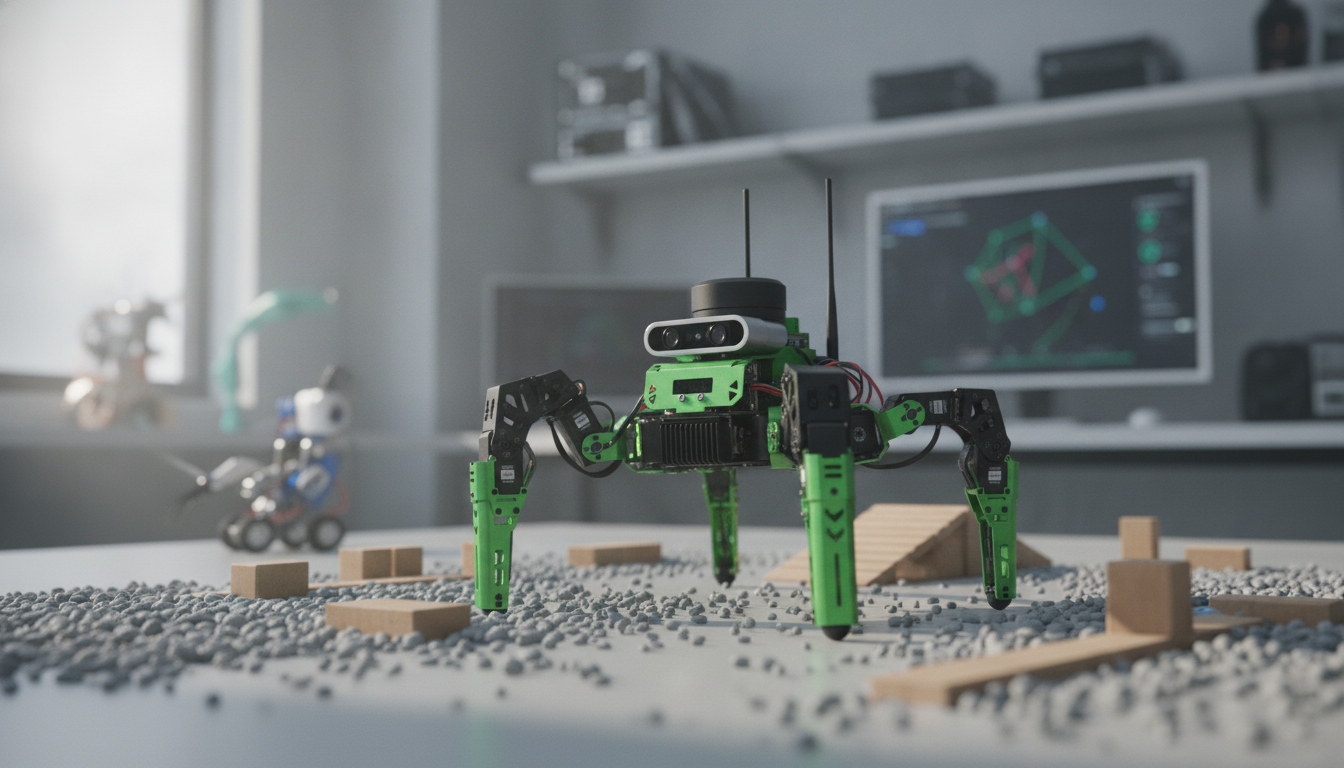
JetHexa ROS Hexapod Robot Kit with SLAM Mapping and Navigation (Jetson Nano Powered)
JetHexa is a six-legged robot kit designed for practical robotics development, combining ROS-based software workflows with onboard AI compute from NVIDIA Jetson Nano. With SLAM mapping and navigation capabilities, it suits learning, prototyping, and research where stable walking, sensor-driven autonomy, and reproducible experiments matter. The result is a platform that can move beyond “demo walking” into repeatable autonomy experiments: build a map, localize, plan a route, and convert navigation goals into coordinated leg motion.
What the kit is built to do
A hexapod platform is often chosen when stability matters. Compared with typical wheeled kits, six legs can keep more contact points on uneven surfaces and maintain balance during slow, deliberate maneuvers—useful when mapping and localization need smoother, more predictable motion.
- Six-legged (hexapod) locomotion for stable movement across imperfect floors and small obstacles.
- ROS-friendly workflows where sensing, mapping, localization, planning, and control can be separated into modular nodes.
- SLAM mapping support to create a map while estimating the robot’s pose for autonomous navigation behaviors.
- Jetson Nano compute headroom for vision pipelines, sensor fusion, and real-time inference workloads.
- A strong fit for classroom labs, capstone projects, and developers who want an end-to-end robot rather than isolated components.
If you want a ready-to-build platform that supports a full autonomy pipeline, see the JetHexa ROS Hexapod Robot Kit SLAM Mapping and Navigation Enabled, Jetson Nano Powered.
Core components and system architecture
JetHexa’s value comes from how the compute, software, sensors, and locomotion stack interact. The Jetson Nano handles intensive perception tasks, ROS coordinates data flow, sensors provide observations for mapping and obstacle avoidance, and the gait controller turns high-level movement requests into stable stepping.
How the main subsystems work together
| Subsystem | Role in autonomy | What to validate during setup |
|---|---|---|
| Jetson Nano | Runs perception, SLAM, and navigation stacks | Thermals, power stability, OS/driver readiness |
| ROS graph | Connects sensors, mapping, planning, and control | Topics/services, namespace clarity, launch files |
| Sensors | Provide observations for mapping/localization | Time sync, frame IDs (TF), calibration where applicable |
| Gait & motion control | Transforms navigation commands into leg movements | Neutral stance, joint limits, smooth gait transitions |
| TF / frames | Maintains coordinate transforms for mapping | Consistent base_link/odom/map frames, correct timestamps |
For teams building on standard robotics tools, ROS provides a broad ecosystem of reusable packages and visualization/logging tools (see the Robot Operating System (ROS) Documentation). On the compute side, the NVIDIA Jetson Nano Developer Kit is widely used for embedded GPU acceleration, particularly when camera-based perception is part of the autonomy stack.
SLAM mapping: what to expect in real environments
SLAM is most satisfying when it’s repeatable: you can map a space today, then come back tomorrow and localize reliably against the saved map. Real-world performance depends on sensor quality, calibration, and how smoothly the robot moves while collecting data. Legged motion can introduce small vibrations that degrade measurements, so it helps to treat mapping as a “slow and steady” activity rather than a speed run.
- Mapping quality depends on sensor calibration and stable mounting; leg vibrations should be minimized.
- Indoor spaces with clear geometric features (walls, corners, furniture) tend to map better than long, featureless corridors.
- Common workflow: bring up sensors → confirm TF frames → run SLAM → save map → run localization on the saved map.
- Practical checks: loop-closure behavior, drift during longer runs, and map consistency after revisiting the same area.
- Stability tips: slow gait during mapping, secure sensor mounting, and adequate lighting when using vision-based inputs.
Navigation: from map to autonomous walking
Navigation typically starts after a map is saved: the robot localizes on that map, plans a route, avoids obstacles, and outputs motion commands. A legged robot then translates those commands into gait steps. This translation is where tuning matters: step cadence, turning behavior, and acceleration limits will influence how closely planned paths are followed.
- Pipeline: localization on a prebuilt map, global planning, local obstacle avoidance, then velocity/pose commands.
- Legged translation: turning radius and step cadence affect tracking accuracy around corners and narrow passages.
- Tuning sequence: teleop stability → smooth gait → stable localization → conservative planner settings → gradual speed increases.
- Obstacle validation: test table legs, chair bases, and narrow doorways to expose blind spots and sensor limits.
- Recovery behaviors: define what happens if localization is lost, a sensor drops out, or a path becomes impassable.
If your work centers on modern ROS navigation stacks, the Navigation2 (ROS 2) Documentation is a helpful reference for planning concepts and configuration patterns that can inform your tuning approach even when experimenting across different ROS versions.
Jetson Nano for robotics development workflows
Jetson Nano makes on-device autonomy practical. GPU acceleration is especially useful for camera pipelines and neural inference, and keeping compute onboard reduces latency and simplifies demos compared with streaming all sensor data to a separate laptop.
For day-to-day development, small workflow accessories can also reduce friction—especially when you’re iterating at a bench. A compact input device like the Wireless Bluetooth Backlit Number Pad for Apple Devices can be handy for quick command entry or shortcuts during testing sessions.
Who it’s for and how to evaluate fit
Getting started: a practical bring-up sequence
FAQ
Does SLAM work while the robot is walking?
Yes, SLAM can run while walking, but results depend on sensor quality, mounting stability, and gait smoothness. Slower motion and solid calibration usually reduce drift and improve map consistency.
Is Jetson Nano powerful enough for mapping and navigation at the same time?
Often yes for common SLAM and navigation stacks when configured carefully. If heavier vision models are added, lowering camera resolution/frame rate and optimizing pipelines can help keep performance stable.
What’s the difference between mapping and navigation?
Mapping builds a map while estimating the robot’s pose in the environment. Navigation uses a saved map plus localization to plan and follow paths while avoiding obstacles.














Leave a comment