4.0″ Touchscreen Bluetooth MP3/MP4 Player for Offline Media
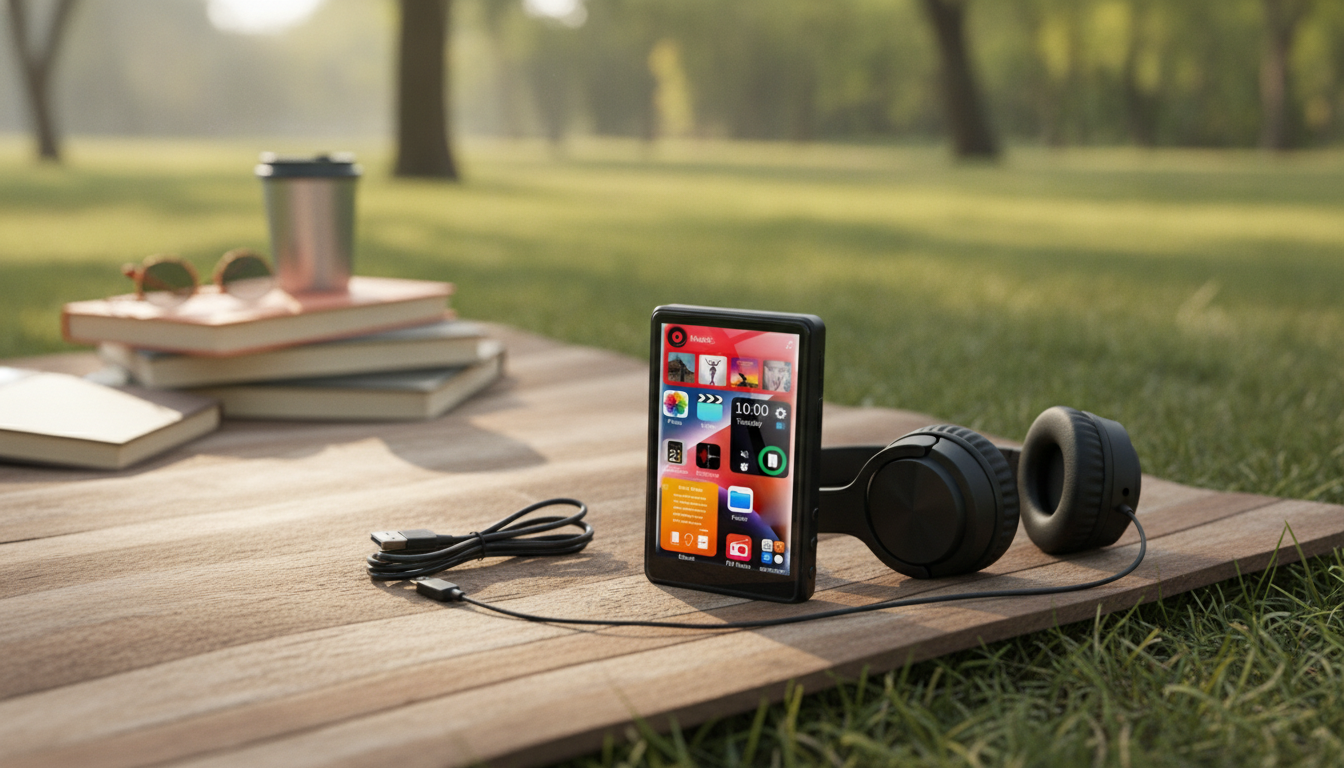
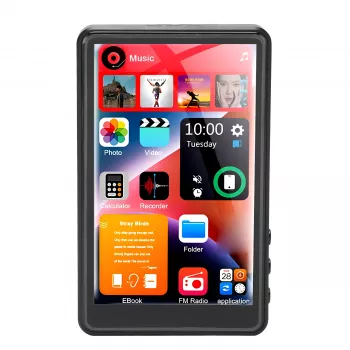
Bluetooth MP3 MP4 Player with 4.0″ Touchscreen
A pocket media player can be one of the simplest ways to keep music, videos, and audiobooks close without leaning on a phone. With a 4.0-inch touchscreen, browsing albums and tapping controls feels familiar, while Bluetooth support makes it easy to pair with wireless earbuds, speakers, or even a car stereo for cable-free listening.
If you want a dedicated device for offline entertainment—something that won’t buzz with notifications or tempt you into apps—a touchscreen MP3/MP4 player hits a practical sweet spot: lightweight, easy to operate, and ready for travel days, workouts, or study time.
What a touchscreen media player is best at
- Plays offline audio and video files without notifications, calls, or app distractions.
- Touchscreen navigation for fast scrolling through libraries and quick access to playback controls.
- Bluetooth pairing for wireless headphones and portable speakers.
- Useful as a dedicated device for commuting, workouts, study time, or kids’ travel entertainment.
Instead of multitasking on a phone, a dedicated player keeps the focus on playback. That can be especially helpful when handing a device to a child on a road trip or when you want music during a run without social feeds and messages pulling attention away.
Highlights of the 4.0″ touchscreen experience
- Large 4.0-inch display improves visibility for track titles, album browsing, and video playback compared with small-button players.
- Touch controls simplify common actions such as play/pause, scrubbing, and selecting playlists.
- Better for video clips, downloaded shows, and photo viewing than basic audio-only devices.
- A dedicated media device can help preserve phone battery and keep personal apps private when sharing with others.
The bigger screen matters most when you’re moving—walking between classes, commuting, or packing for a flight. Larger text and clearer controls reduce mis-taps, and scrubbing through a track or clip feels far more natural than repeated button presses. It also makes quick library browsing easier, especially if you like to switch between albums, audiobooks, and playlists.
Bluetooth connectivity and what to expect
- Wireless listening: pairs with Bluetooth earbuds/headphones and many speakers.
- Practical range depends on the headphones/speaker and obstacles; keep the player close (pocket/armband) for best stability.
- Pairing basics: enable Bluetooth on the player, put headphones in pairing mode, select the device name, and confirm connection.
- If audio stutters, reduce distance, remove interference (crowded 2.4 GHz areas), or unpair and pair again.
Bluetooth is designed for convenient short-range audio connections; real-world performance can vary based on walls, other wireless devices nearby, and even how your body blocks the signal while walking. For background details on Bluetooth standards and compatibility, the Bluetooth SIG is the official reference.
Audio, video, and file management
- Works best with well-organized folders and clear filenames (Artist/Album/Track) for easier browsing on a portable screen.
- For video playback, standardize to a compatible format and resolution to avoid choppy performance or failed playback.
- If using a memory card, format it according to the device’s recommendations and keep one media library per card to reduce indexing issues.
- Build simple playlists for workouts and commutes to minimize screen time and keep playback uninterrupted.
A little organization upfront pays off every day afterward. A consistent structure like “Artist > Album > Track” makes browsing faster, and it also helps keep audiobook chapters in order. For video, keeping files at a reasonable resolution helps playback stay smooth and keeps transfers quicker.
When transferring files from a computer, a reliable USB connection and safe removal habits reduce the chances of file corruption. For a practical overview of USB concepts and usage, see NIST resources.
Battery life, charging, and everyday durability
- Screen brightness and Bluetooth use typically affect runtime the most; lowering brightness can extend playback time.
- Charge fully before first long use and top up regularly rather than running the battery to empty every time.
- For travel, pack a short charging cable and consider a small power bank if using Bluetooth for long sessions.
- Protect the touchscreen with a simple pouch or case to reduce scratches in a bag or backpack.
Quick comparison with another in-stock option
| Feature | Bluetooth MP3 MP4 Player with 4.0″ Touchscreen | Mini Pocket DAB/DAB+ FM Radio MP3 Player |
|---|---|---|
| Primary focus | Offline music + video with touchscreen navigation | Radio listening (DAB/DAB+ / FM) plus MP3 playback |
| Screen & controls | 4.0-inch touchscreen for browsing and playback | Compact controls designed around radio and portability |
| Wireless listening | Bluetooth pairing for headphones/speakers | Varies by model; check listing features if Bluetooth is required |
| Best for | Kids’ trips, gym playlists, offline video, distraction-free media | News/music on the go, travel radio reception, simple portable listening |
Shop in-stock options
- Bluetooth MP3 MP4 Player with 4.0″ Touchscreen $34.67
- Mini Pocket DAB/DAB+ FM Radio MP3 Player with Speaker & Rechargeable Battery $42.67
Who this type of player fits best
Practical setup checklist
FAQ
How does a touchscreen MP3/MP4 player connect to Bluetooth earbuds?
Turn on Bluetooth on the player, put your earbuds into pairing mode, and select the earbuds from the available device list. Keep the player nearby for a steady connection, and if pairing fails, remove (unpair) the device and try again.
Can it play videos as well as music?
Yes—this style of device is built for both audio and video playback. For the smoothest results, use common file formats and keep video resolution reasonable so the player can decode files reliably.
What’s the easiest way to organize music on a portable player?
Create a simple folder structure like Artist/Album and use consistent track filenames so browsing stays quick on a smaller screen. For frequent listening, make a few short playlists (gym, commute, study) to reduce how often you need to scroll.













Leave a comment