Ultra-Thin Clear Silicone iPhone Case (7–16): Fit & Feel
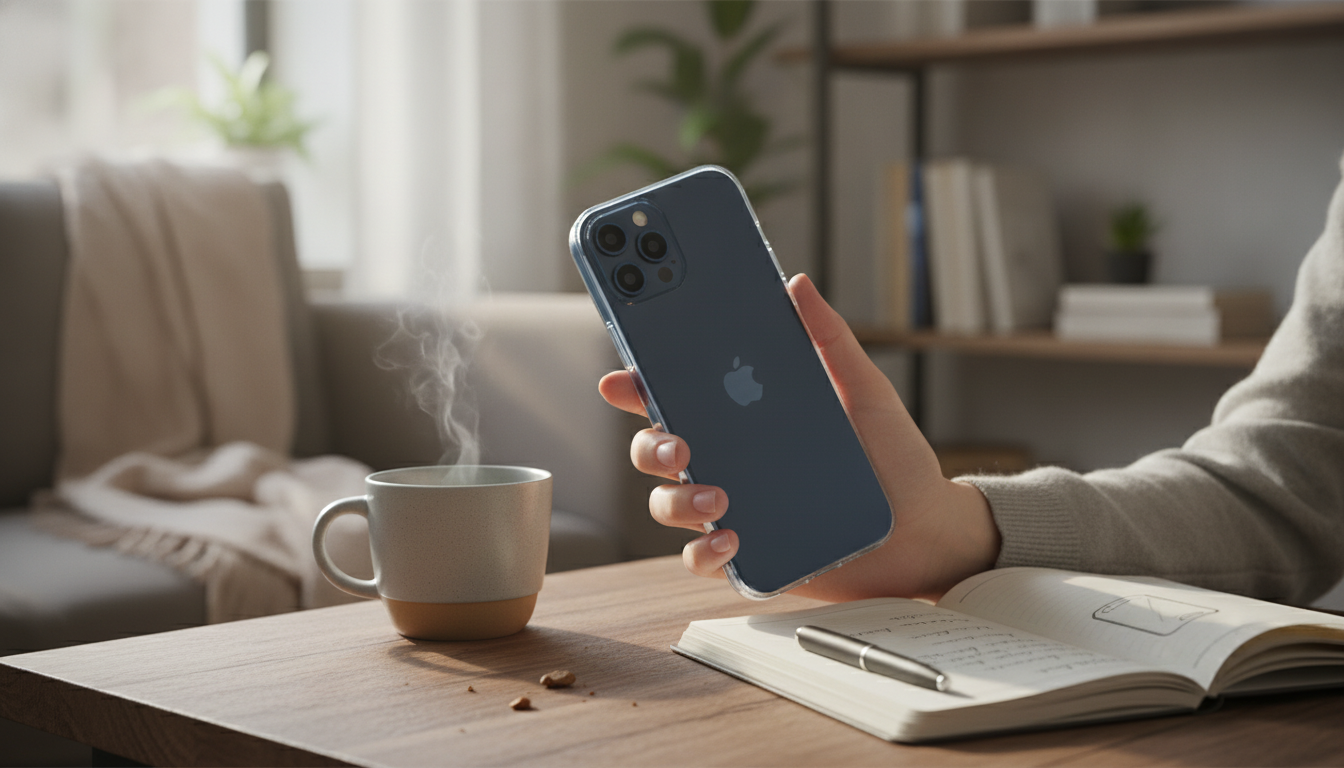
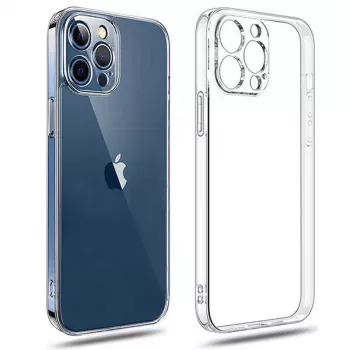
Ultra Thin Clear Silicone Case for Apple iPhone 7–16 Series
A clear, ultra-thin silicone case keeps the iPhone’s original color and design visible while adding everyday grip and light scratch protection. The appeal is simple: it preserves the “bare iPhone” feel more than most thicker shells, while still taking the edge off daily wear from pockets, desks, and quick tosses into a bag. Below is what an ultra-slim clear case is like in real use, how to choose the right fit from iPhone 7 through iPhone 16 models, and the small usability details that can make the difference between “barely there” and “annoying.” For more guidance, see iPhone and Samsung clear hard plastic phone cases.
What “Ultra Thin + Clear Silicone” Feels Like Day to Day
Ultra-thin clear cases are made for people who like the original shape of the phone and don’t want the corners and sides to feel chunky. Instead of turning the iPhone into a “protected brick,” the case aims to keep the familiar pocket feel while adding a gentle layer between your phone and the world. For further reading, see OtterBox iPhone 17e, 16e, 15, 14, & 13 Symmetry Series Clear Case.
- Low-profile protection: Helps prevent back and frame scuffs without adding noticeable bulk.
- Cleaner transparency: Many slim clear designs avoid the heavy “frosted” look that can happen with thicker TPU.
- More confident grip: Silicone-style materials feel softer and less slippery than bare glass, especially for one-hand use.
- Everyday coverage, not rugged armor: Great for scratches and light bumps; not meant to be a heavy-duty drop shield.
- Comfort details: Smooth edges, minimal seam lines, and a slim front lip that doesn’t fight swipe gestures matter more on a thin case than on a thick one.
Fit Across iPhone 7–16 Series: Getting the Right Model
With iPhones, “close enough” usually isn’t close enough. Camera islands, button placement, and tiny dimension changes across generations mean the right model selection is essential—especially for ultra-thin cases where there’s little extra material to hide misalignment.
- Match the exact model name: A case made for iPhone 14 won’t necessarily align correctly on iPhone 14 Pro or 14 Plus.
- Check camera cutout geometry: The opening should sit centered and avoid blocking the flash or clipping lens edges.
- Button feel should be crisp: Thin button covers can feel excellent when molded well, or mushy when they aren’t.
- Ports need breathing room: Lightning and USB‑C cable heads vary; tight cutouts can be frustrating day after day.
- Screen protector compatibility: If the case edge is too tall or tight, it can lift protector corners over time.
| Check | Why it matters | What to look for |
|---|---|---|
| Exact iPhone model selection | Prevents misaligned camera/buttons | Model listed by series and number (e.g., 13, 14 Pro, 15 Pro Max) |
| Camera opening shape | Avoids flash glare and vignetting | Centered cutout with clean edges and full lens clearance |
| Button responsiveness | Daily usability | Firm, tactile click through the case |
| Charging port clearance | Cable compatibility | Room for standard cable heads without squeezing |
| Case lip height | Scratch prevention vs gesture comfort | Small raised edge that doesn’t hinder swipes |
Protection Profile: What It Covers (and What It Doesn’t)
An ultra-thin case is best thought of as “daily wear insurance” rather than serious impact equipment. It’s designed to keep your phone looking cleaner longer, not to survive repeated drops onto concrete.
Clarity Over Time: Yellowing, Smudges, and Maintenance
Comfort and Usability Details That Matter
- Edge feel: Rounded corners and smooth transitions help prevent hand fatigue during long scrolling sessions.
- Wireless charging: Slim cases are typically compatible with wireless charging; Apple’s overview is a helpful reference for charging standards and MagSafe basics: Apple Support — Wireless charging and MagSafe.
- Magnetic accessories: If the case lacks integrated magnets, magnetic wallets and stands may align less consistently.
- Mic and speaker cutouts: Cleanly aligned openings help keep call quality clear and reduce muffling.
- Pocket-friendliness: Thin clear silicone tends to slide in and out without the “sticky drag” some soft-touch finishes create.
For model-specific dimensions and hardware differences (like camera layouts), Apple’s specs pages remain the most reliable cross-check: Apple — iPhone Technical Specifications.
Pairing Ideas for an Everyday Carry Setup
Recommended Picks Available Now
- Ultra Thin Clear Silicone Case for Apple iPhone 7-16 Series — a minimalist clear option that keeps the original finish visible while adding everyday grip and scuff resistance.
- 200000mAh 120W Power Bank for iPhone and Apple Devices — a high-capacity backup for travel, long shifts, and heavy daily screen time.
- Silicone Case for Apple AirPods 4, AirPods Pro 2, AirPods 3 — a simple add-on to keep earbuds protected and easier to grip.
Ultra Thin Clear Silicone Case for Apple iPhone 7–16 Series: Key Highlights
FAQ
Will a clear ultra-thin case turn yellow over time?
Many clear materials can discolor from UV exposure, heat, and skin oils, so some yellowing over time is possible. Regular cleaning, avoiding hot dashboards/direct sun, and minimizing dye transfer from dark fabrics can help slow it down.
Does an ultra-thin clear case protect against drops?
It can help reduce small bumps and scuffs and may prevent some drops by improving grip, but it’s not the same as a rugged, shock-absorbing case. For frequent drops or high-impact use, a thicker protective case is a safer choice.
Will wireless charging still work with a thin silicone case?
Wireless charging typically works through thin silicone-style cases because there isn’t much material to block the charge. Magnetic accessory strength and alignment, however, depend on whether the case has built-in magnets.













Leave a comment